
How to buy on Hipobuy
Follow a product from the spreadsheet to Hipobuy, then through warehouse inspection and international shipping.
From listing to delivery
Find the product
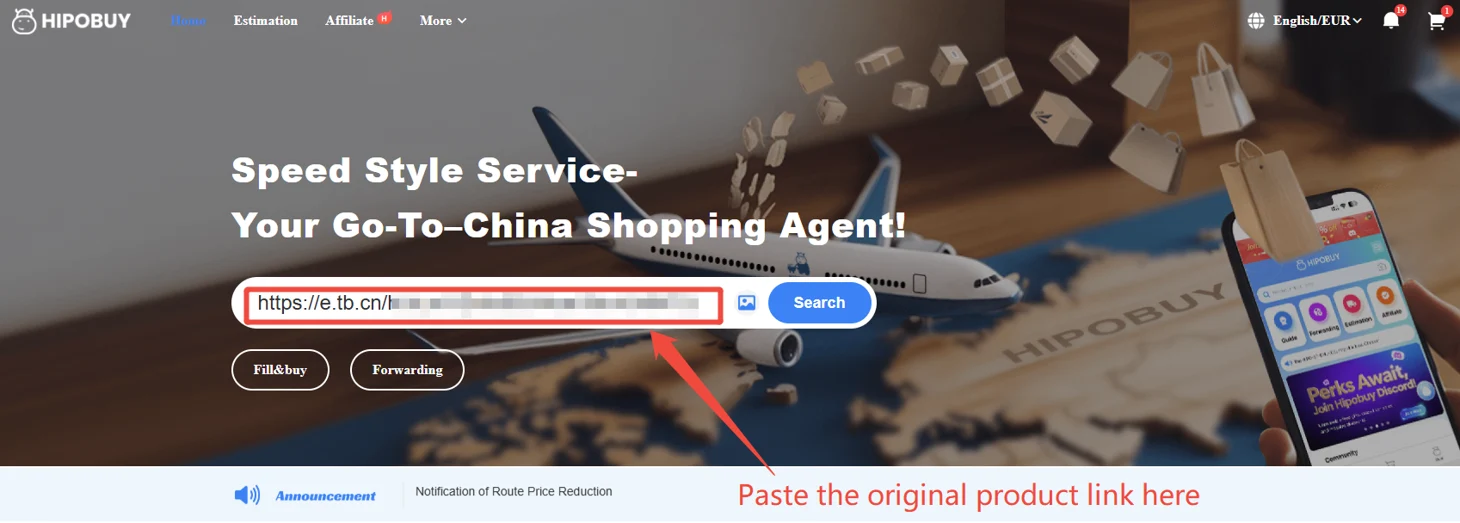
Search this spreadsheet by name or paste a Weidian item ID. Open the product to check the gallery, reference price and item number.
Open product details
Hipobuy official screen Open the same item on Hipobuy
Select Buy on Hipobuy. On the official product page, verify the item, size, color, quantity and the current price. Use Add to cart or Buy now when you have selected the correct options.
Hipobuy official screen 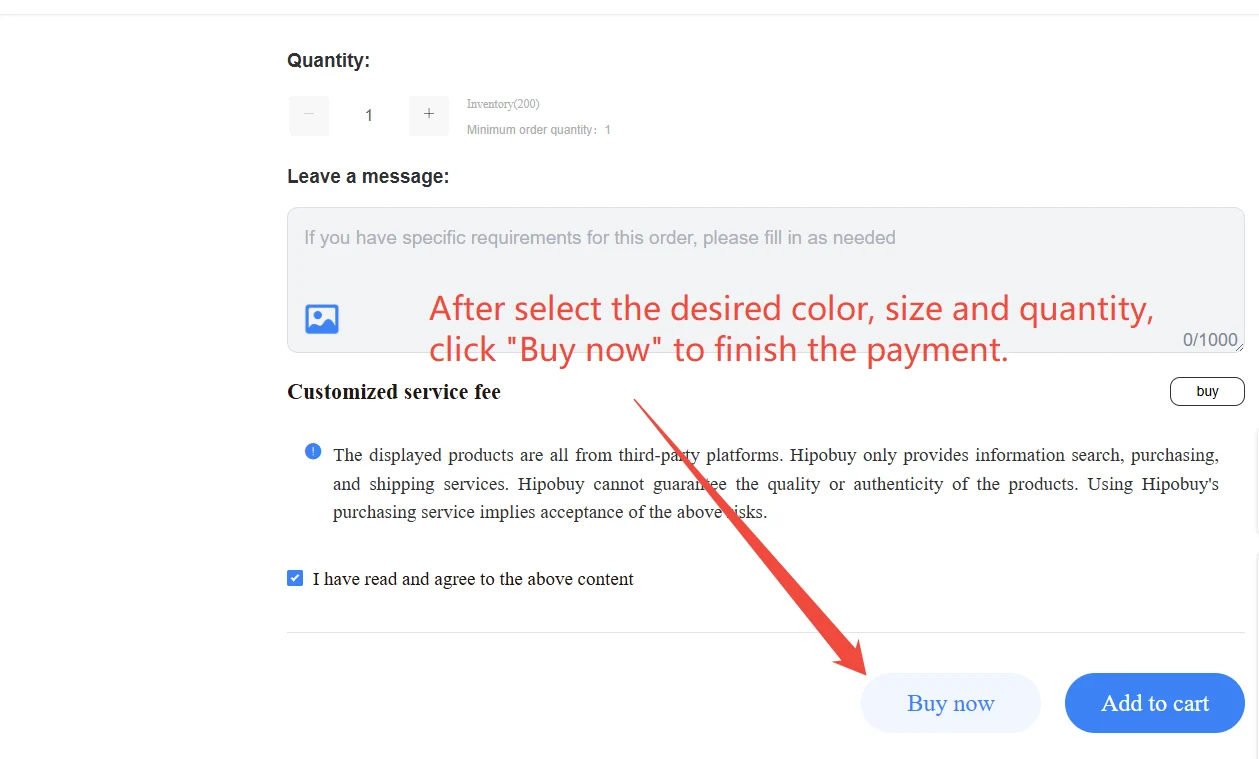
Hipobuy official screen Review the order before paying
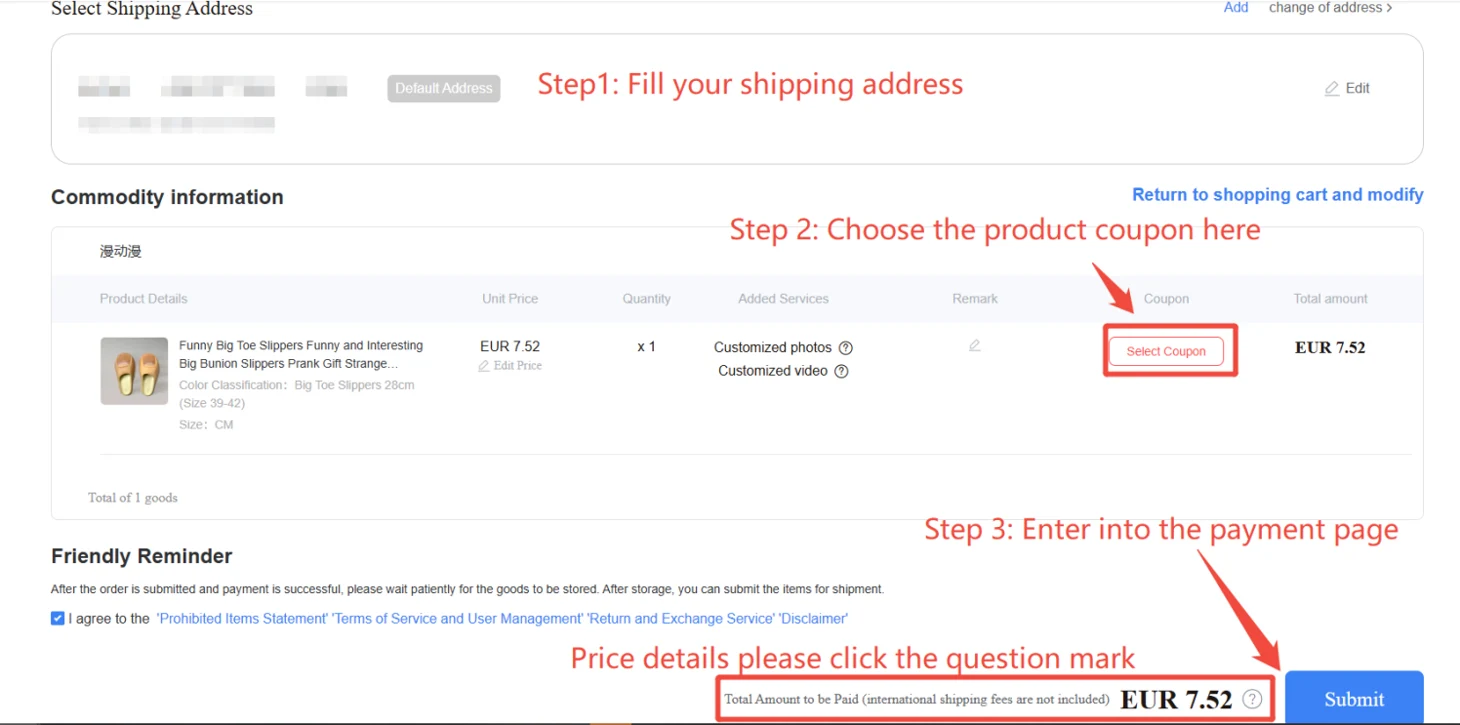
Sign in on Hipobuy. Review the product, selected options and domestic shipping to the warehouse. Review the amount due before confirming the order.
Hipobuy official screen 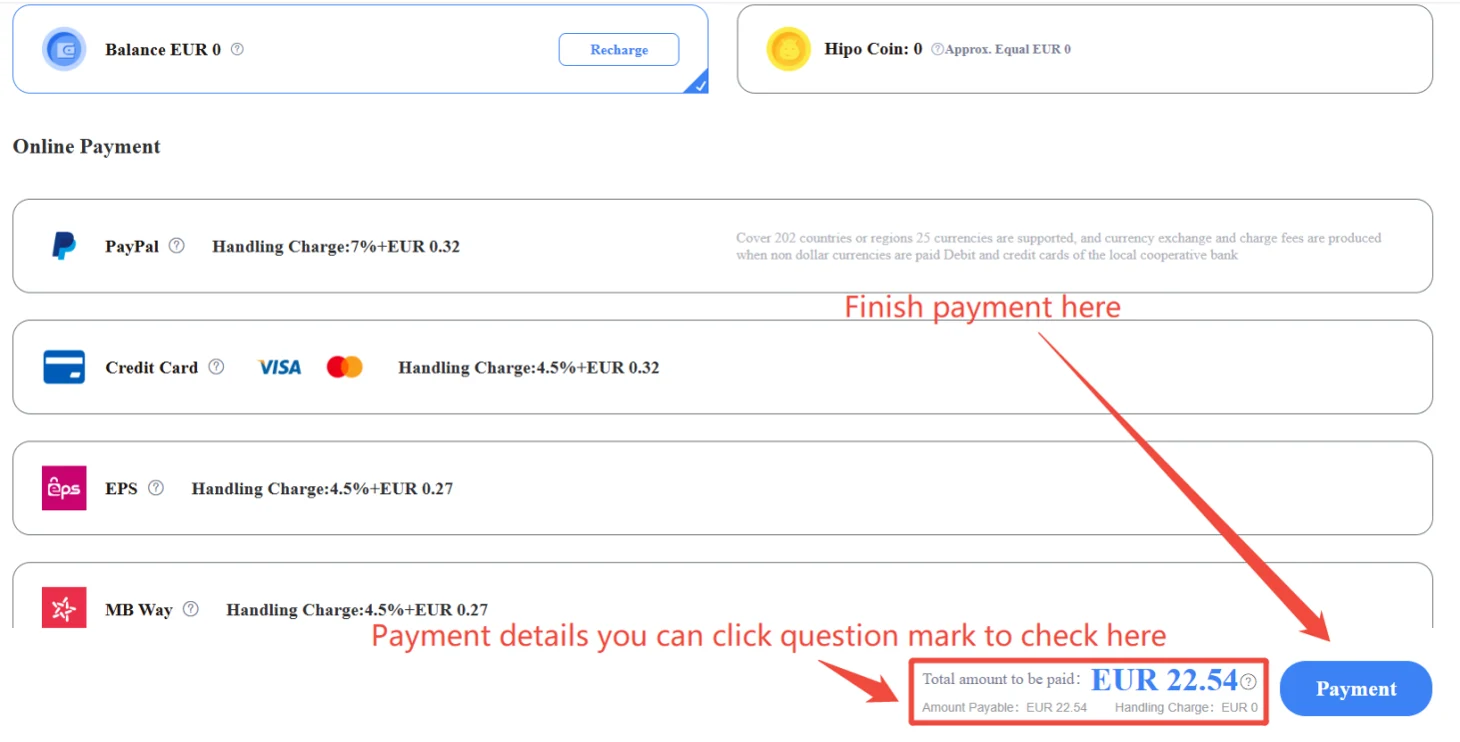
Hipobuy official screen Review the warehouse photos
After the seller ships to the Hipobuy warehouse, open your stored item and review its inspection photos. If you see an issue, check the available after-sales options before shipping.
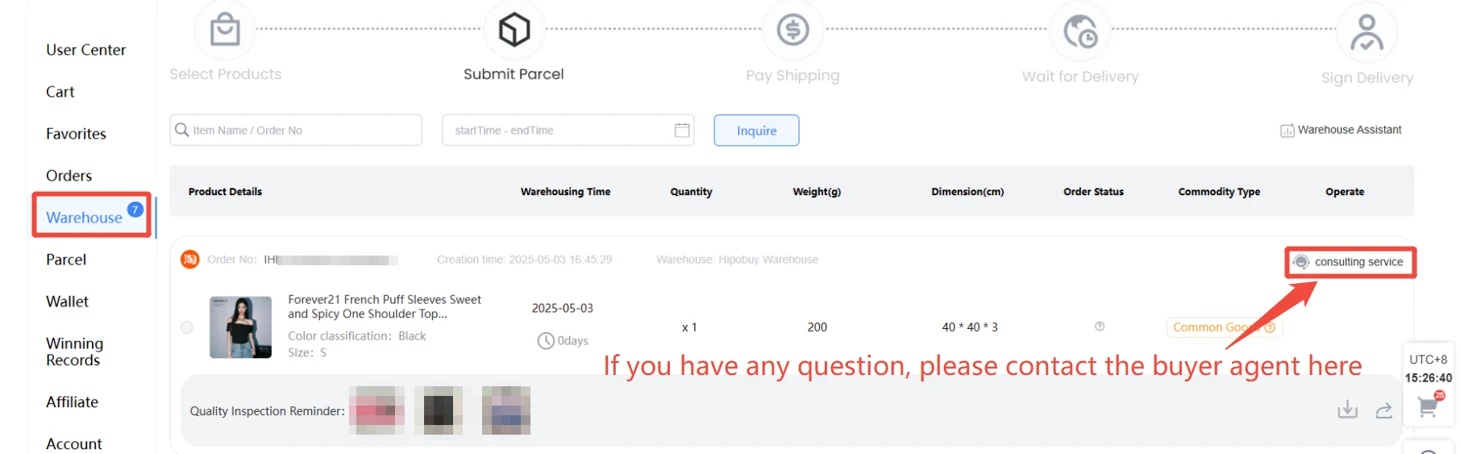
Hipobuy official screen Estimate shipping and submit the parcel
Check the shipping estimate using the destination, weight and parcel dimensions. In your Hipobuy warehouse, choose the items, check the route and address, then review the final quote before paying.
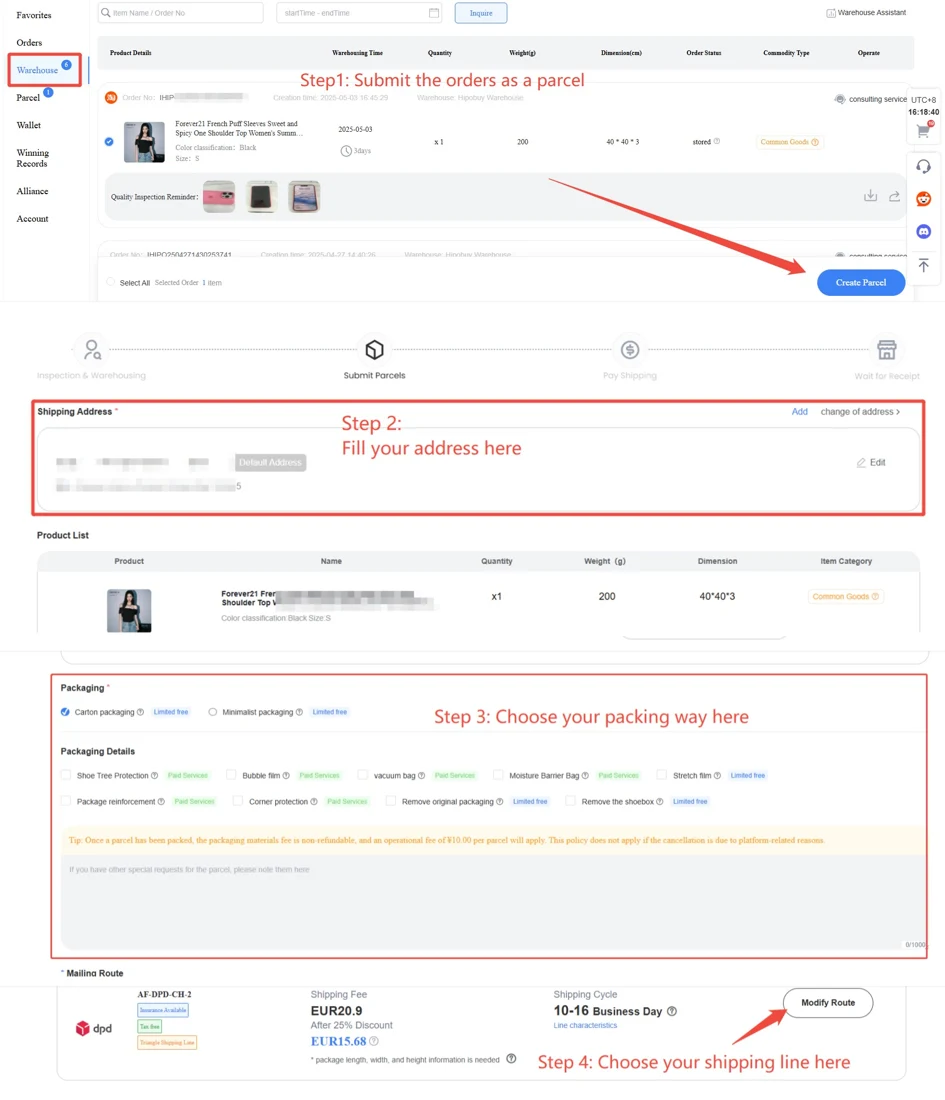
Hipobuy official screen 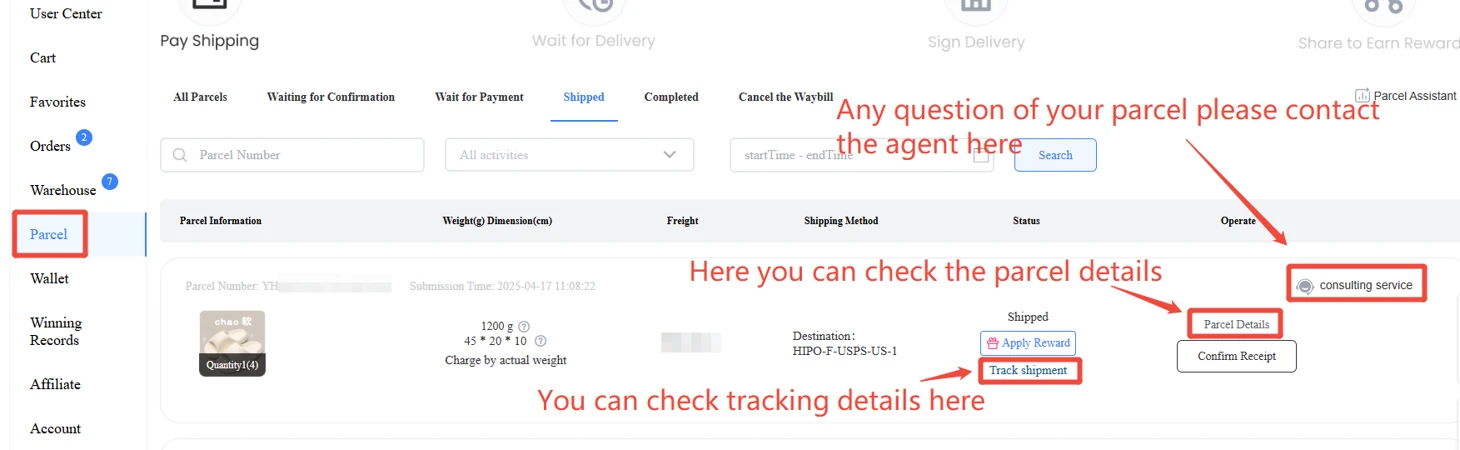
Hipobuy official screen